
Why Website Not Getting Traffic? 12 Proven Fixes That Actually Work

Introduction :

 You spent weeks—or even months—creating content. You researched topics, published article after article, and expected your website traffic to grow. Yet after publishing dozens or even 100 articles, your analytics still show little to no visitors.

 If this sounds familiar, you’re not alone. One of the most common frustrations among bloggers, website owners, and digital marketers is wondering why website not getting traffic despite consistent publishing efforts. The truth is that publishing more content does not automatically lead to higher rankings or more visitors.

 Search engines evaluate many factors beyond the number of articles on your site. Poor keyword targeting, weak search intent alignment, indexing problems, technical SEO issues, low authority, and ineffective content strategies can all prevent your website from attracting organic traffic.

 The good news is that most traffic problems can be identified and fixed. In this guide, you’ll discover the most common reasons why website not getting traffic and learn practical solutions that can help improve your search visibility, rankings, and long-term organic growth.

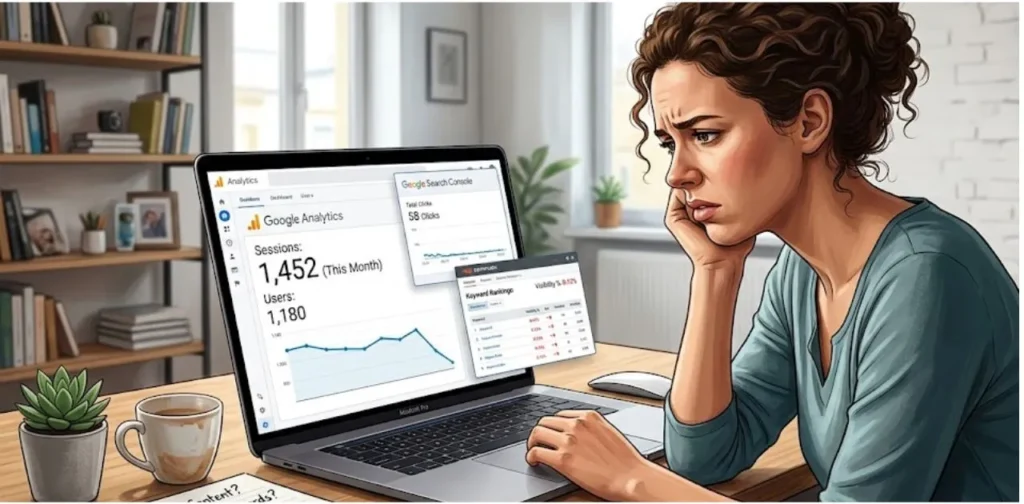
Website analytics dashboard showing low traffic and declining organic visitors, Why Website Not Getting Traffic
A website can publish hundreds of articles and still receive little traffic if key SEO factors are missing.

 Why Website Not Getting Traffic?

  The most common reasons include poor keyword research, search intent mismatch, indexing issues, weak on-page SEO, lack of backlinks, technical SEO problems, and insufficient website authority.

Understanding Why Website Not Getting Traffic

 If you are wondering why website not getting traffic even after publishing dozens or hundreds of articles, you are not alone. Many bloggers and website owners face this challenge. They spend months creating content, optimizing their website, and waiting for visitors, only to see little or no growth in organic traffic.

 The reality is that publishing content alone is not enough to attract visitors from search engines. Google considers many ranking factors, including keyword relevance, content quality, search intent, website authority, user experience, and technical SEO. If one or more of these factors are weak, your website may struggle to gain visibility in search results.

 Understanding the real reasons behind low traffic is the first step toward fixing the problem. Once you identify what is holding your website back, you can implement the right strategies to improve rankings and attract more visitors.

The Common Misconception About Publishing More Content

 One of the biggest misconceptions in SEO is that publishing more articles automatically leads to more traffic. Many beginners believe that if they publish 50, 100, or even 200 articles, Google will eventually reward them with higher rankings.

 However, search engines do not rank websites based on the number of articles they publish. Instead, they focus on the quality, relevance, and usefulness of the content. A website with 20 well-researched and highly valuable articles can often outperform another website with 100 low-quality or poorly optimized posts.

 Another common mistake is creating content without a clear strategy. Some website owners publish random topics without researching keywords, understanding audience needs, or building topical authority. As a result, their content fails to rank and attract visitors.

 Rather than focusing solely on quantity, successful websites prioritize quality content that solves real problems and provides value to readers.

Why 100 Articles Do Not Guarantee Visitors

 Publishing 100 articles may seem like a significant achievement, but it does not guarantee website traffic. Search engines rank pages based on their ability to satisfy user intent, not on the total number of posts available on a website.

 For example, if your articles target keywords with no search volume, they may never receive visitors regardless of how well they are written. Similarly, if your content is not indexed by Google, users will never find it through search results.

 Another reason is competition. Many topics are dominated by established websites with strong authority and thousands of backlinks. New websites often struggle to rank for these competitive keywords, even with a large content library.

 Website traffic is influenced by several factors, including:

  • Keyword research
  • Search intent optimization
  • Content quality
  • Technical SEO
  • Internal linking
  • Backlinks
  • Website authority

 Without addressing these areas, publishing more content alone is unlikely to generate significant traffic.

1. You Are Targeting the Wrong Keywords

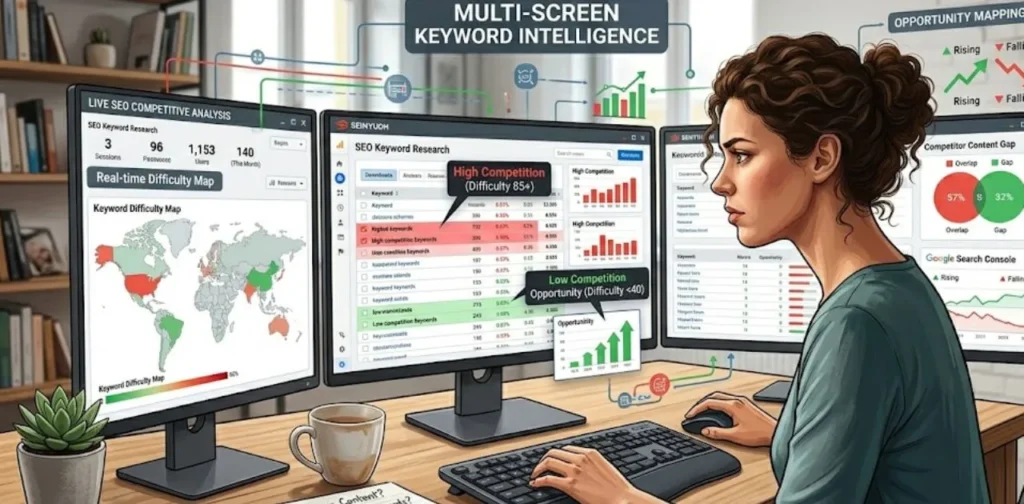
Keyword research showing high competition keywords causing low website traffic
Targeting high-competition keywords often makes it difficult for new websites to rank and attract visitors.

 Keyword selection plays a critical role in SEO success. Even the best content can fail if it targets the wrong keywords. Many websites receive little traffic because they focus on terms that are either too competitive or have no meaningful search demand.

Effective keyword research helps you identify topics that people are actively searching for while giving your website a realistic chance to rank in search results.

High Competition Keywords

 One of the most common mistakes new website owners make is targeting highly competitive keywords from the beginning. These keywords are usually dominated by large websites with strong domain authority, extensive backlink profiles, and years of established trust.

Examples of highly competitive keywords include:

  • SEO
  • Digital Marketing
  • Blogging
  • Affiliate Marketing
  • Online Business

 While these keywords may have high search volume, ranking for them is extremely difficult for newer websites. Competing against established brands can take years of consistent effort.

Instead of targeting broad keywords, focus on more specific long-tail keywords that have lower competition and clearer user intent.

 For example:

Instead of targeting:
“SEO”

Target:
“SEO Tips for New Bloggers”

Instead of:
“Digital Marketing”

Target:
“Digital Marketing Strategies for Small Businesses”

 Long-tail keywords often convert better because they attract users with specific needs and questions.

No Search Demand Keywords

 Another major reason websites fail to attract traffic is targeting topics that nobody is searching for. Some website owners create content based solely on personal interests without validating whether there is actual demand for the topic.

 Even if the content is informative and well-written, it cannot generate traffic if users are not searching for it.

Before creating content, it is important to evaluate keyword demand using keyword research tools. Look for keywords that show consistent search activity and align with your target audience’s needs.

 Signs of low-demand keywords include:

  • Very low search volume
  • No related search suggestions
  • Limited search interest over time
  • Few relevant questions from users

 Focusing on keywords with proven demand significantly increases your chances of attracting organic traffic.

How to Find Low-Competition Keywords

 Finding low-competition keywords is one of the most effective ways for new websites to gain traffic. These keywords offer a better opportunity to rank because fewer websites are competing for them.

Start by using Google’s search features. Google Autocomplete, People Also Ask, and Related Searches can reveal valuable keyword ideas based on real user searches.

 You can also analyze competitor websites to identify keywords they rank for but have not fully optimized. Many keyword research tools provide difficulty scores that help you evaluate ranking opportunities.

When searching for low-competition keywords, look for:

  • Long-tail keyword phrases
  • Question-based searches
  • Specific niche topics
  • Problem-solving queries
  • Emerging industry trends

 For example, instead of targeting a broad keyword like “blogging,” you might target:

  • How to Start a Blog with No Money
  • Blogging Mistakes Beginners Make
  • How to Get Traffic to a New Blog

 These keywords are often easier to rank for and can bring highly targeted visitors to your website.

 By focusing on relevant low-competition keywords with real search demand, you can gradually build authority, improve rankings, and increase organic traffic over time.

⇒ Learning How to Find Low-Competition Keywords can help new websites rank faster and attract targeted visitors.

 Expert Tip

 Before publishing a new article, verify that the target keyword has real search demand and matches user intent.

2. Your Content Does Not Match Search Intent

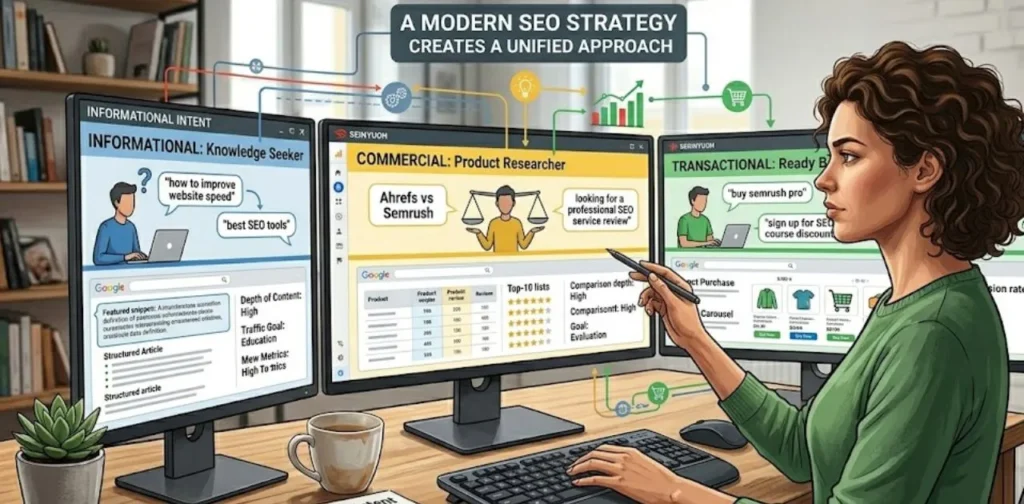
Search intent types including informational commercial and transactional queries
Understanding search intent helps create content that better matches what users are looking for.

 Creating high-quality content is important, but quality alone is not enough to rank well in search engines. One of the most overlooked reasons why website not getting traffic is a mismatch between content and search intent.

 Search intent refers to the reason behind a user’s search query. When someone types a keyword into Google, they have a specific goal in mind. They may be looking for information, researching products, or ready to make a purchase. Google’s job is to provide the most relevant results that satisfy that goal.

If your content does not match what users expect to find, Google is unlikely to rank it highly.   Understanding different types of search intent can help you create content that meets user expectations and attracts more organic traffic.

Informational Intent

 Informational intent occurs when users want to learn something or find an answer to a question. These searches are often educational and focused on gaining knowledge.

 Examples include:

  • How to start a blog
  • What is SEO
  • Why website not getting traffic
  • How Google indexing works

 Users searching with informational intent expect detailed explanations, guides, tutorials, and practical advice. If your content only provides a brief answer or focuses heavily on promotion, visitors may leave quickly.

 To satisfy informational intent:

  • Answer the main question clearly
  • Provide step-by-step guidance
  • Use examples and visuals
  • Cover the topic comprehensively
  • Address related questions

 The more useful your content is, the more likely users are to stay engaged and share it with others.

Commercial Intent

 Commercial intent refers to searches made by users who are researching products, services, or solutions before making a decision.

 Examples include:

  • Best SEO tools for beginners
  • Hostinger vs Bluehost
  • Best blogging platforms
  • Top keyword research tools

 These users are not ready to buy immediately, but they are evaluating options. They expect comparisons, reviews, feature breakdowns, pricing information, and recommendations.

 To optimize content for commercial intent:

  • Compare multiple options
  • Highlight pros and cons
  • Include pricing details
  • Provide real-world use cases
  • Offer honest recommendations

 Content that helps users make informed decisions tends to perform well for commercial searches.

Transactional Intent

 Transactional intent occurs when users are ready to take action. They may want to purchase a product, sign up for a service, download software, or complete another conversion-focused activity.

 Examples include:

  • Buy web hosting
  • Download SEO plugin
  • Enroll in digital marketing course
  • Start free blog today

 These users want a fast and direct path to their goal. They are less interested in lengthy explanations and more focused on completing a transaction.

 To optimize for transactional intent:

  • Use clear calls to action
  • Simplify the user journey
  • Highlight benefits and features
  • Include trust signals and testimonials
  • Make important information easy to find

 Matching transactional intent can significantly improve conversions and user satisfaction.

How Intent Impacts Rankings

 Search intent is one of Google’s most important ranking factors. Even a perfectly optimized article may struggle to rank if it does not align with what users expect.

 For example, if users search for “best SEO tools” and your page only explains what SEO is, Google may consider your content irrelevant. As a result, rankings and traffic will likely remain low.

 When content matches search intent, visitors tend to:

  • Spend more time on the page
  • View additional content
  • Engage with your website
  • Return in the future
  • Share your content with others

 These positive user signals help Google understand that your content is valuable, which can lead to better rankings and increased organic traffic.

3. Your Pages Are Not Indexed by Google

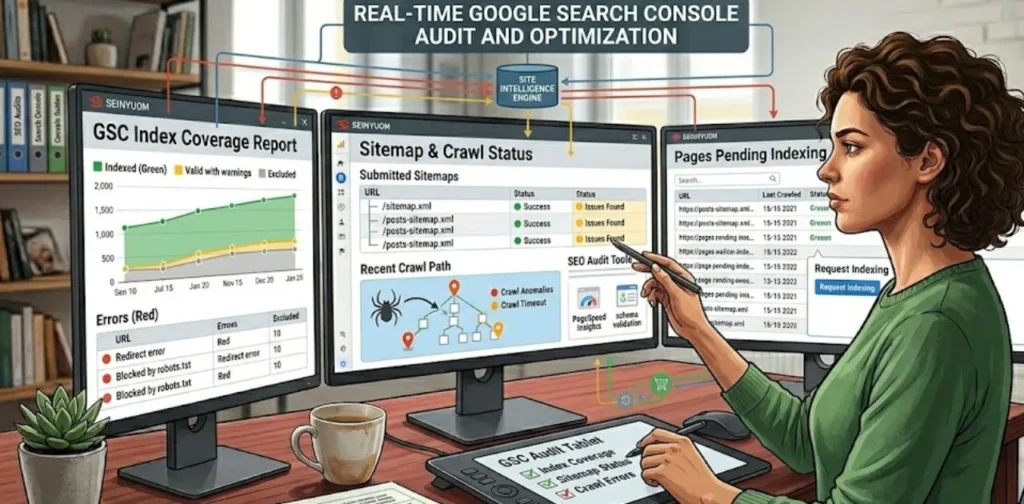
Google Search Console displaying indexing issues and crawl errors
Indexing issues can prevent valuable pages from appearing in Google search results.

 Another major reason why website not getting traffic is that your pages are not indexed by Google. No matter how well-written or optimized your content is, it cannot appear in search results unless Google has indexed it.

 Indexing is the process through which Google discovers, analyzes, and stores information about your pages. Only indexed pages are eligible to rank and receive organic traffic.

 Many website owners assume their content is automatically indexed after publishing, but that is not always the case. Indexing problems can prevent valuable content from appearing in search results for weeks or even months.

How to Check Indexing Status

 The easiest way to check whether a page is indexed is by using Google’s search operator.

 Type the following into Google:

site.com

 This search will display pages from your website that Google has indexed.

You can also check individual URLs using:

site.com/page-url

 For a more accurate analysis, use Google Search Console. Navigate to the URL Inspection Tool and enter the page URL. Google will show whether the page is indexed and identify any issues affecting visibility.

 Regularly monitoring indexing status helps ensure your content has the opportunity to rank and attract visitors.

Common Indexing Problems

 Several technical issues can prevent pages from being indexed properly.

Some of the most common indexing problems include:

Noindex Tags

A noindex tag tells search engines not to include a page in search results. Sometimes these tags are added accidentally through SEO plugins or website settings.

Blocked Robots.txt Rules

Your robots.txt file controls how search engines access your website. Incorrect settings can prevent Google from crawling important pages.

Crawl Errors

Google must be able to access your content to index it. Server errors, broken URLs, and other technical issues can block crawling.

Duplicate Content

When multiple pages contain very similar content, Google may choose to ignore some of them. Excessive duplication can reduce indexing efficiency.

Poor Internal Linking

 Pages with few or no internal links are harder for search engines to discover. Important content may remain unindexed if it is buried deep within your website structure.

 Identifying and resolving these issues can significantly improve search visibility.

 ⇒ You can use Google Search Console to monitor indexing status and identify pages that may have crawl or indexing issues.

Fixing Noindex and Crawl Issues

 Fortunately, most indexing problems are relatively easy to fix once identified.

 Start by reviewing your SEO plugin settings and ensuring that important pages are not marked as noindex. If you use WordPress, check indexing settings within Rank Math or your preferred SEO plugin.

 Next, review your robots.txt file to ensure it is not blocking valuable content. You should only restrict pages that truly do not need to appear in search results.

Additional steps include:

  • Submitting an XML sitemap to Google Search Console
  • Requesting indexing for important pages
  • Fixing broken links and crawl errors
  • Improving website navigation
  • Strengthening internal linking
  • Updating outdated content

 After making changes, use the URL Inspection Tool in Google Search Console to request reindexing.

A properly indexed website provides the foundation for SEO success. Without indexing, even the best content cannot generate traffic. Ensuring that Google can discover and crawl your pages should be one of the first priorities for any website owner seeking higher search visibility.
4. Weak On-Page SEO Optimization

 Even if you choose the right keywords and create valuable content, poor on-page SEO can prevent your pages from ranking well in search results. On-page SEO helps search engines understand what your content is about and whether it is relevant to a user’s search query.

 Many website owners focus heavily on content creation while ignoring basic on-page optimization. As a result, their pages struggle to compete with better-optimized content. If you are wondering why website not getting traffic despite publishing quality articles, weak on-page SEO could be one of the main reasons.

 Proper on-page optimization improves search visibility, user experience, and click-through rates. Small improvements can often lead to significant ranking gains over time.

Missing Keyword Placement

 Keywords help search engines understand the topic of your content. However, simply choosing the right keyword is not enough. You must place it strategically throughout the page.

 Your primary keyword should naturally appear in important areas such as:

  • Title tag
  • URL slug
  • Introduction
  • H2 and H3 headings
  • Image alt text
  • Meta description
  • Conclusion

 For example, if your target keyword is “Why Website Not Getting Traffic,” it should appear naturally throughout the article without excessive repetition.

 Keyword stuffing is no longer effective and can harm rankings. Instead, focus on natural keyword usage while incorporating related terms and semantic keywords.

 Proper keyword placement helps search engines recognize the relevance of your content and improves the likelihood of ranking for target search queries.

Poor Meta Titles and Descriptions

  Meta titles and descriptions play a crucial role in attracting clicks from search results. Even if your page ranks well, a weak title or description can result in low click-through rates.

 A strong meta title should:

  • Include the primary keyword
  • Clearly describe the content
  • Create curiosity or highlight a benefit
  • Stay within recommended character limits

For example:

Bad Title:
Why Website Traffic Problems

 Better Title:
Why Website Not Getting Traffic? 12 Proven Fixes That Actually Work

  Similarly, a compelling meta description should summarize the article and encourage users to click.

  A good meta description can:

  • Increase click-through rates
  • Improve user engagement
  • Drive more organic traffic
  • Support overall SEO performance

  Optimizing metadata is one of the easiest ways to improve search visibility without creating new content.

Improper Heading Structure

  Headings help organize content for both readers and search engines. A clear structure improves readability and makes it easier for Google to understand the main topics covered on a page.

  Many websites use headings incorrectly by skipping levels or using multiple H1 tags. This can create confusion for search engines and reduce content clarity.

  A recommended heading structure looks like this:

  • One H1 for the page title
  • H2 headings for major sections
  • H3 headings for subtopics
  • H4 headings when further organization is needed

  For example:

H1: Why Website Not Getting Traffic?

H2: Weak On-Page SEO Optimization

H3: Missing Keyword Placement

H3: Poor Meta Titles and Descriptions

  This structure improves navigation, enhances user experience, and supports better SEO performance.

5. Your Content Lacks Depth and Value

 Google’s algorithms have become increasingly effective at identifying content that provides genuine value to users. Simply covering a topic is no longer enough. Your content must be comprehensive, helpful, and trustworthy.

 One major reason why website not getting traffic is that the content fails to answer user questions completely. If visitors cannot find the information they need, they will leave quickly and look elsewhere.

 Content that demonstrates expertise and solves real problems is more likely to rank well and attract consistent organic traffic.

Thin Content Problems

 Thin content refers to pages that provide little value to users. These pages often contain minimal information, generic advice, or content copied from other sources.

 Common examples of thin content include:

  • Very short articles
  • Rewritten content with no original insights
  • Pages targeting keywords without useful information
  • Articles lacking examples or supporting evidence

 Thin content often struggles to rank because it does not satisfy user intent.

 For example, if someone searches for “How to Increase Website Traffic” and lands on a 300-word article with basic tips, they are unlikely to find it useful. Google recognizes this behavior and may reduce the page’s visibility over time.

 To compete effectively, your content should provide deeper insights and more practical value than competing pages.

Creating Helpful Content

 Helpful content focuses on solving specific problems and delivering actionable information. Instead of writing solely for search engines, create content for real people.

 Ask yourself:

  • Does this article answer the user’s question?
  • Does it provide actionable advice?
  • Is the information accurate and up to date?
  • Would I find this content useful if I were the reader?

 Helpful content often includes:

  • Step-by-step instructions
  • Real-world examples
  • Case studies
  • Screenshots and visuals
  • Expert insights
  • Practical tips

 The goal is to make your content the best resource available for a particular topic.

 Google’s Helpful Content System rewards websites that consistently publish content designed to help users rather than manipulate search rankings.

Demonstrating Experience and Expertise

 Google increasingly values content that reflects real-world experience and expertise. This concept is part of EEAT, which stands for Experience, Expertise, Authoritativeness, and Trustworthiness.

 Websites that demonstrate genuine knowledge are more likely to earn trust from both users and search engines.

 You can showcase experience and expertise by:

  • Sharing personal experiences
  • Including original research
  • Providing case studies
  • Adding screenshots and examples
  • Referencing credible sources
  • Creating detailed tutorials

 For example, if you write about SEO, sharing actual ranking results or traffic improvements can make your content more trustworthy than generic advice.

 Author profiles, about pages, and transparent contact information can also strengthen credibility signals.

 The more authority and trust your content demonstrates, the greater the likelihood of earning higher rankings and attracting sustainable organic traffic.

 Ultimately, creating content that is comprehensive, useful, and backed by genuine expertise is one of the most effective ways to overcome low traffic issues and build long-term search visibility.

6. Poor Internal Linking Structure

 Internal linking is one of the most overlooked aspects of SEO. Many website owners focus heavily on publishing new content but fail to connect their pages effectively. As a result, search engines struggle to understand the relationship between different pieces of content, and users may have difficulty discovering relevant information.

 A poor internal linking structure can limit the visibility of important pages, reduce crawl efficiency, and negatively impact rankings. If you are wondering why website not getting traffic despite having numerous articles, weak internal linking could be a significant contributing factor.

 A well-planned internal linking strategy helps distribute authority across your website while guiding visitors to related content.

Why Internal Links Matter

 Internal links are hyperlinks that connect one page of your website to another. They help search engines discover new content and understand the hierarchy of your website.

 Internal links provide several SEO benefits:

  • Improve page discoverability
  • Help search engines crawl content efficiently
  • Distribute link equity across pages
  • Increase page views
  • Improve user experience
  • Reduce bounce rates

 For example, if you publish an article about keyword research, linking it to related articles about SEO, content marketing, and search intent helps users explore your website further.

 Without internal links, valuable pages may become isolated and struggle to gain visibility in search results.

Topic Clusters and Content Silos

 Modern SEO increasingly relies on topical authority. Google prefers websites that cover a subject comprehensively rather than publishing random, unrelated content.

Topic clusters and content silos help organize content into logical groups.

 A topic cluster typically includes:

  • One pillar page covering a broad topic
  • Multiple supporting articles covering related subtopics
  • Internal links connecting all relevant content

 For example:

Pillar Page:
Digital Marketing for Beginners

Supporting Articles:

  • How to Find Low-Competition Keywords
  • SEO GEO and AEO Explained
  • Technical SEO Checklist
  • Content Marketing Strategies
  • On-Page SEO Guide

Each article links back to the pillar page while also linking to other related content.

 This structure helps search engines understand your expertise and strengthens your authority within a specific niche.

Internal Linking Best Practices

 To maximize SEO benefits, follow these internal linking best practices:

Use Descriptive Anchor Text

 Instead of generic phrases like “click here,” use descriptive anchor text that explains the linked content.

 Example:

Good:
How to Find Low-Competition Keywords

Bad:
Click Here

Link to Relevant Pages

 Only link to content that is closely related to the topic being discussed. Relevant links improve user experience and strengthen topical relationships.

Prioritize Important Pages

 Link frequently to high-value pages that you want to rank higher in search results.

Avoid Orphan Pages

 Every important page should have at least one internal link pointing to it. Orphan pages are difficult for search engines to discover and index.

Maintain a Logical Structure

 Create a clear content hierarchy that makes navigation easy for both users and search engines.

 A strong internal linking strategy improves crawlability, user engagement, and rankings, making it an essential part of any successful SEO campaign.

7. Your Website Has Technical SEO Issues

 Technical SEO forms the foundation of a website’s search performance. Even the best content may struggle to rank if technical problems prevent search engines from crawling, indexing, or understanding your website properly.

 Many website owners overlook technical SEO because it operates behind the scenes. However, issues such as broken links, mobile usability problems, and poor page performance can significantly impact organic traffic.

 If you have optimized your content but still receive little traffic, conducting a technical SEO audit should be one of your top priorities.

Broken Links

 Broken links occur when a URL no longer exists or returns an error page. These links create a poor user experience and can make your website appear neglected.

 Common causes of broken links include:

  • Deleted pages
  • Incorrect URLs
  • Website restructuring
  • Expired resources
  • Changes to permalink settings

 Broken links can negatively affect:

  • User satisfaction
  • Crawl efficiency
  • Website credibility
  • Search engine rankings

 Visitors who encounter broken links often leave the website immediately, increasing bounce rates.

 To identify broken links, use tools such as:

  • Google Search Console
  • Screaming Frog SEO Spider
  • Ahrefs Site Audit
  • Rank Math SEO Analyzer

 Regularly monitoring and fixing broken links helps maintain a healthy website structure and improves overall SEO performance.

Mobile Usability Problems

 Google uses mobile-first indexing, which means it primarily evaluates the mobile version of your website when determining rankings.

 If your website performs poorly on mobile devices, rankings and traffic may suffer.

 Common mobile usability issues include:

  • Text that is too small to read
  • Content wider than the screen
  • Elements placed too close together
  • Slow mobile loading times
  • Unresponsive design

 A poor mobile experience frustrates visitors and increases the likelihood that they will leave before engaging with your content.

 To improve mobile usability:

  • Use responsive website design
  • Optimize images for mobile devices
  • Improve page loading speed
  • Simplify navigation menus
  • Test pages on multiple screen sizes

 Google Search Console’s Mobile Usability Report can help identify and resolve issues affecting mobile performance.

Core Web Vitals Issues

 Core Web Vitals are a set of performance metrics that measure user experience on a webpage. Google considers these metrics when evaluating page quality and rankings.

The three primary Core Web Vitals are:

Largest Contentful Paint (LCP)

 Measures how quickly the main content of a page loads.

 A good LCP score is less than 2.5 seconds.

Interaction to Next Paint (INP)

 Measures how responsive a page is when users interact with it.

 Lower interaction delays provide a better user experience.

Cumulative Layout Shift (CLS)

 Measures visual stability during page loading.

 A low CLS score indicates that page elements remain stable and do not unexpectedly shift.

 Poor Core Web Vitals can result from:

  • Large images
  • Excessive JavaScript
  • Slow hosting
  • Render-blocking resources
  • Unoptimized themes and plugins

  ⇒ Google’s Search Central Documentation provides detailed guidance on crawling, indexing, and technical SEO best practices.

 To improve Core Web Vitals:

  • Compress and optimize images
  • Enable caching
  • Minify CSS and JavaScript
  • Use a content delivery network (CDN)
  • Choose high-performance hosting
  • Remove unnecessary plugins

 Tools such as Google PageSpeed Insights and Google Search Console can help monitor these metrics and identify opportunities for improvement.

 Addressing technical SEO issues ensures that search engines can efficiently crawl and evaluate your website while providing visitors with a fast and seamless experience. A technically optimized website creates a strong foundation for higher rankings, better user engagement, and increased organic traffic.

⇒ Following a Complete Technical SEO Checklist for Bloggers can help identify indexing, crawling, and performance problems before they affect rankings.

8. Slow Website Speed Is Hurting Rankings

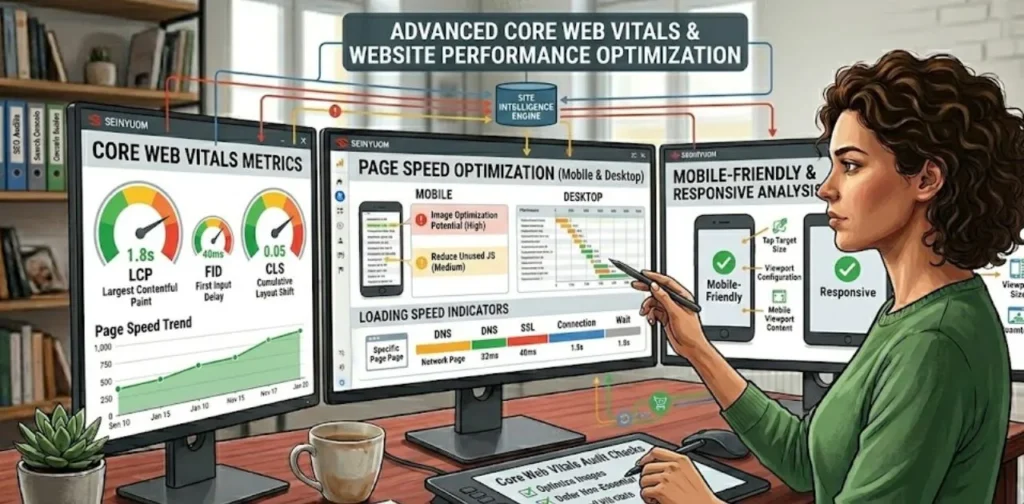
Website speed optimization dashboard showing Core Web Vitals improvements
Website speed and technical SEO play a crucial role in improving rankings and user experience.

 Website speed is no longer just a technical consideration—it is a critical ranking factor and an essential part of user experience. A slow-loading website can frustrate visitors, increase bounce rates, and reduce your chances of ranking well in search results.

 Many website owners focus heavily on content creation and keyword optimization while overlooking site performance. However, even the most valuable content may struggle to attract and retain visitors if pages load slowly.

 If you are trying to understand why website not getting traffic, poor website speed should be one of the first areas you investigate.

 Search engines want to provide users with fast, seamless experiences. Websites that load quickly often perform better in search rankings and generate higher engagement.

Impact on User Experience

 Users expect websites to load almost instantly. Studies consistently show that visitors become impatient when pages take too long to display content.

 A slow website can lead to:

  • Higher bounce rates
  • Lower engagement
  • Fewer page views
  • Reduced conversions
  • Poor user satisfaction

 For example, if a visitor clicks your article and waits several seconds for it to load, they may leave before reading any content. This behavior sends negative signals to search engines.

 Slow-loading pages can also affect:

  • Average session duration
  • Pages per session
  • Returning visitors
  • Overall website credibility

 Google monitors user experience metrics closely. When visitors repeatedly leave a page because it loads slowly, rankings may decline over time.

Improving website speed helps create a better experience for users while supporting stronger SEO performance.

Speed Optimization Tips

 Fortunately, most website speed issues can be improved with proper optimization.

Optimize Images

Large image files are one of the most common causes of slow-loading websites.

 Best practices include:

  • Compress images before uploading
  • Use modern formats such as WebP
  • Resize images appropriately
  • Enable lazy loading

Use Caching

 Caching stores temporary versions of pages so visitors can load them more quickly.

 Popular WordPress caching solutions include:

  • WP Rocket
  • LiteSpeed Cache
  • W3 Total Cache

Minify CSS and JavaScript

 Reducing unnecessary code can significantly improve loading times.

 Minification removes:

  • Extra spaces
  • Comments
  • Unused code

 This reduces file sizes and improves performance.

Choose Fast Hosting

 Your hosting provider has a major impact on website speed.

 Quality hosting typically offers:

  • Faster servers
  • Better uptime
  • Improved performance
  • Enhanced security

A slow hosting environment can limit SEO growth regardless of how much optimization you perform.

Reduce Unnecessary Plugins

 Too many plugins can increase server load and create performance bottlenecks.

 Regularly review installed plugins and remove those that are no longer necessary.

Recommended Performance Tools

 Several free tools can help analyze and improve website speed.

Google PageSpeed Insights

 Provides detailed performance reports and optimization recommendations.

Google Search Console Core Web Vitals Report

 Helps identify pages with performance-related issues.

GTmetrix

 Offers in-depth page speed analysis and performance tracking.

Pingdom Website Speed Test

Measures page load times and identifies bottlenecks.

WebPageTest

Provides advanced performance testing and diagnostic information.

 Regular performance monitoring helps identify issues before they negatively impact rankings and traffic.

9. You Have No Quality Backlinks

 Backlinks remain one of the strongest ranking signals in SEO. A backlink is a link from another website pointing to your content.

 Search engines view backlinks as votes of confidence. When reputable websites link to your content, it signals that your information is valuable and trustworthy.

 Many websites struggle to gain traffic because they have little or no backlink authority. Even excellent content may find it difficult to rank if competing pages have stronger backlink profiles.

 If your website has few incoming links, building high-quality backlinks should become part of your long-term SEO strategy.

Why Backlinks Still Matter

 Although Google’s algorithms have evolved significantly, backlinks continue to play an important role in determining rankings.

 Backlinks help:

  • Increase domain authority
  • Improve page authority
  • Enhance trust signals
  • Accelerate indexing
  • Drive referral traffic

 For example, if an established digital marketing website links to your article, search engines may view your content as more credible.

However, not all backlinks are equal.

 A single backlink from a respected website is often more valuable than dozens of links from low-quality or irrelevant websites.

Quality matters far more than quantity.

 The best backlinks typically come from:

  • Industry blogs
  • News websites
  • Educational websites
  • Resource pages
  • Relevant niche publications

 These links help establish authority and improve search visibility.

Beginner-Friendly Link Building Methods

 Many beginners assume link building is difficult, but there are several effective strategies that do not require advanced SEO experience.

Create Link-Worthy Content

 The best backlinks often come naturally when people find your content valuable.

 Examples include:

  • Comprehensive guides
  • Original research
  • Statistics articles
  • Case studies
  • Useful tools and resources

Guest Posting

 Writing articles for reputable websites in your niche can help you earn relevant backlinks while expanding your audience.

Focus on websites that:

  • Have real traffic
  • Publish quality content
  • Are relevant to your niche

Resource Page Outreach

 Many websites maintain resource pages that link to useful content.

 If your article provides genuine value, you can reach out and suggest it as a helpful resource.

Build Relationships

 Networking with bloggers, content creators, and industry experts can create opportunities for collaboration and natural link acquisition.

 Strong relationships often lead to mentions, shares, and backlinks over time.

Promote Your Content

 Even excellent content may never earn links if nobody sees it.

 Promote new content through:

  • Social media
  • Email newsletters
  • Online communities
  • Industry forums

 Greater visibility increases the likelihood of attracting backlinks.

Common Link Building Mistakes

 Many website owners make mistakes that can limit SEO growth or even result in penalties.

Buying Low-Quality Backlinks

 Purchasing cheap backlink packages may provide short-term gains but often creates long-term risks.

 Google actively discourages manipulative link schemes.

Prioritizing Quantity Over Quality

 Hundreds of low-quality backlinks are rarely as valuable as a few authoritative links from trusted websites.

 Focus on earning relevant and reputable links.

Ignoring Relevance

 Backlinks from unrelated websites provide less value than links from websites within your niche.

 Relevance is a key factor in link quality.

Using Spammy Link Building Tactics

 Avoid practices such as:

  • Automated link creation
  • Comment spam
  • Private blog networks
  • Excessive directory submissions

 These tactics can damage your website’s reputation and rankings.

Neglecting Internal Links

 While external backlinks are important, many website owners overlook internal linking opportunities that can strengthen authority across their site.

A balanced SEO strategy includes both high-quality backlinks and a strong internal linking structure.

 Building backlinks takes time, but the long-term benefits can be substantial. Quality links help improve authority, increase rankings, and generate sustainable organic traffic, making them one of the most valuable assets for any website seeking long-term growth.

10. Google Does Not Trust Your Website Yet

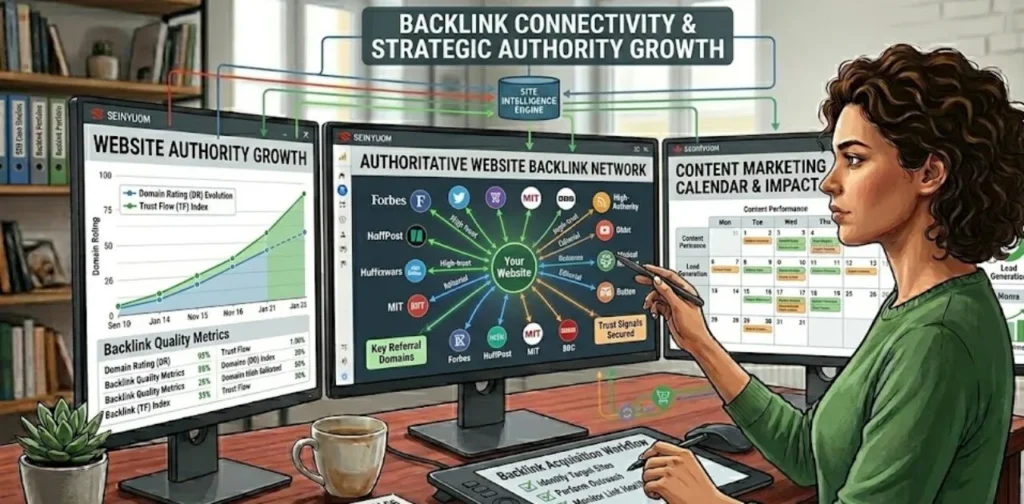
Website authority growth through quality backlinks and content marketing
Building authority through quality backlinks and trust signals can significantly increase organic traffic.

 Many website owners focus on content creation and SEO optimization but overlook one critical factor: trust. Even if your website is technically optimized and contains valuable content, Google may hesitate to rank it if it does not yet trust your site.

 Trust is built over time through consistent quality, expertise, transparency, and positive user experiences. New websites often struggle to gain rankings because they have not yet established enough credibility in Google’s eyes.

 If you are asking why website not getting traffic despite publishing quality content, lack of trust signals may be one of the key reasons.

 Google wants to provide users with reliable information. Therefore, websites that demonstrate expertise and credibility generally perform better in search results.

Understanding EEAT

 Google uses the concept of EEAT to evaluate content quality and website trustworthiness.

 EEAT stands for:

  • Experience
  • Expertise
  • Authoritativeness
  • Trustworthiness

Experience

 Google values content created by individuals who have real-world experience with the topic.

For example, a blogger sharing firsthand SEO results may be considered more valuable than someone simply repeating information found elsewhere.

Expertise

 Expertise refers to knowledge and skill within a specific subject area.

 Content that demonstrates deep understanding, practical insights, and accurate information tends to perform better.

Authoritativeness

 Authority is built when other people and websites recognize your expertise.

 Examples include:

  • Mentions from reputable websites
  • Backlinks from industry sources
  • Positive brand recognition
  • Thought leadership content

Trustworthiness

 Trust is the most important aspect of EEAT.

Google wants users to feel confident that the information on your website is accurate, transparent, and reliable.

 Trust signals include:

  • Accurate information
  • Secure website (HTTPS)
  • Clear contact information
  • Privacy policy
  • Transparent authorship

 The stronger your EEAT signals, the greater your chances of ranking competitively.

Building Authority and Credibility

 Authority is not built overnight. It develops through consistent effort and quality content.

 One effective strategy is to focus on topical authority. Instead of publishing random articles, create multiple pieces of content around a specific niche.

 For example, if your website focuses on SEO, publish related content such as:

  • Keyword Research Guides
  • Technical SEO Tutorials
  • On-Page SEO Tips
  • Search Console Guides
  • Link Building Strategies

 When Google sees extensive coverage of a topic, it becomes easier to view your website as a reliable source of information.

 Other ways to build credibility include:

  • Publishing original research
  • Sharing case studies
  • Providing expert insights
  • Updating outdated content
  • Earning quality backlinks
  • Encouraging user engagement

 Consistency plays a major role in authority building. Websites that regularly publish valuable content are more likely to gain trust over time.

Author Pages and Trust Signals

 Many website owners underestimate the importance of author information. Anonymous content often appears less trustworthy than content written by identifiable individuals.

 Creating detailed author pages can strengthen credibility.

 A strong author page should include:

  • Author name
  • Professional background
  • Relevant experience
  • Social media profiles
  • Areas of expertise

 In addition to author pages, trust signals throughout your website can improve perceived credibility.

 Important trust signals include:

  • About Us page
  • Contact page
  • Privacy Policy
  • Terms and Conditions
  • Secure HTTPS connection
  • Business information
  • Customer testimonials

 These elements help users and search engines understand that your website is legitimate and trustworthy.

 The more trust signals your website provides, the easier it becomes for Google to view your content as a reliable resource worthy of higher rankings.

11. You Are Ignoring Google Search Console Data

 Google Search Console is one of the most valuable free SEO tools available. Yet many website owners install it and rarely use the data it provides.

 If your website is not receiving traffic, Google Search Console can reveal exactly where opportunities and problems exist.

 The platform provides insights into:

  • Search performance
  • Indexing status
  • Click-through rates
  • Search queries
  • Technical issues
  • User experience signals

 Ignoring this data means missing valuable opportunities to improve rankings and traffic.

 Successful SEO is not just about creating content—it is about analyzing performance and making informed improvements.

Finding Low-Hanging Opportunities

 One of the most effective uses of Google Search Console is identifying low-hanging opportunities.

 These are pages that already rank reasonably well but have the potential to generate significantly more traffic with minor improvements.

 Look for pages that:

  • Rank between positions 5 and 20
  • Receive impressions but few clicks
  • Show declining traffic trends
  • Have low click-through rates

 For example, if a page ranks in position 11 for an important keyword, moving it to the first page could dramatically increase traffic.

 Small improvements such as updating content, improving metadata, and strengthening internal links can often produce meaningful results.

Rather than constantly creating new content, optimizing existing pages can provide faster gains.

Improving Existing Content

 Many website owners focus exclusively on publishing new articles while neglecting content they already have.

Existing content often represents the greatest opportunity for traffic growth.

 Use Search Console data to identify pages that:

  • Receive impressions but low clicks
  • Have declining rankings
  • Contain outdated information
  • Target keywords with growing demand

 When updating content:

  • Add new information
  • Improve readability
  • Expand sections with additional details
  • Update statistics and examples
  • Strengthen internal linking
  • Improve keyword targeting

 Google frequently rewards refreshed content because it provides users with more accurate and current information.

 Regular content updates can help maintain rankings and improve long-term search visibility.

Tracking Performance Correctly

 SEO improvements should always be measured using data.

Google Search Console allows you to monitor key performance indicators such as:

  • Total clicks
  • Total impressions
  • Average position
  • Click-through rate (CTR)

 Tracking these metrics helps you understand what is working and where improvements are needed.

 For example:

  • Rising impressions indicate increasing visibility.
  • Higher CTR suggests more effective titles and descriptions.
  • Improved average position indicates stronger rankings.
  • Increased clicks demonstrate growing organic traffic.

 By reviewing Search Console data regularly, you can make smarter SEO decisions and focus your efforts where they will have the greatest impact.

 Many websites fail to grow simply because they are not using the information already available to them. Leveraging Search Console insights allows you to identify opportunities, fix problems, and continuously improve your website’s search performance.

 ⇒ Understanding the fundamentals of Digital Marketing for Beginners can help you create content that better matches user intent.

12. You Are Expecting Results Too Quickly

 One of the biggest reasons website owners become frustrated with SEO is unrealistic expectations. Many people publish content, optimize a few pages, and expect significant traffic growth within days or weeks.

 In reality, SEO is a long-term strategy. Search engines need time to discover, crawl, index, and evaluate your content before deciding where it should rank.

 If you are wondering why website not getting traffic after publishing several articles, the answer may simply be that your website has not had enough time to build authority and trust.

 Successful websites are rarely built overnight. Most high-ranking websites have spent months or years consistently improving their content, technical SEO, and authority.

How Long SEO Really Takes

 The exact timeline varies depending on several factors, including:

  • Website age
  • Competition level
  • Content quality
  • Keyword difficulty
  • Backlink profile
  • Technical SEO health

 For a new website, meaningful SEO results often take between three and six months. In highly competitive niches, it may take even longer.

 Some low-competition keywords may begin ranking within a few weeks, while competitive terms can require months of consistent optimization.

 SEO should be viewed as a long-term investment rather than a quick traffic solution.

Typical Growth Timeline

 Although every website is different, a typical SEO growth timeline often looks like this:

Month 1

  • Content is published
  • Pages begin getting indexed
  • Little or no organic traffic

Month 2–3

  • Search impressions increase
  • Some pages start ranking for long-tail keywords
  • Early traffic begins to appear

Month 4–6

  • Rankings improve
  • More keywords enter the top 20 positions
  • Organic traffic starts growing consistently

Month 6–12

  • Stronger authority develops
  • More competitive keywords become achievable
  • Traffic growth accelerates

 Understanding this timeline helps maintain realistic expectations and encourages long-term commitment to SEO.

Consistency Over Perfection

 Many website owners spend too much time trying to create the perfect article while neglecting consistency.

Perfection is not required for SEO success. Consistent improvement is far more important.

 Instead of focusing on creating one flawless piece of content, aim to:

  • Publish regularly
  • Update existing content
  • Improve internal linking
  • Monitor performance data
  • Build authority over time

 Websites that consistently improve their content and user experience often outperform competitors that focus solely on perfection.

SEO rewards persistence. The websites that continue optimizing and publishing valuable content are usually the ones that achieve long-term traffic growth.

A Simple Action Plan to Increase Website Traffic

 If your website is not getting traffic, it can be difficult to know where to start. Rather than trying to fix everything at once, follow a structured action plan.

The following four-week framework focuses on the most important areas of SEO and can help create momentum for long-term traffic growth.

Week 1 – Technical SEO Audit

 Start by ensuring your website is technically healthy.

 Your first week’s tasks should include:

  • Checking indexing status in Google Search Console
  • Fixing crawl errors
  • Reviewing robots.txt settings
  • Submitting an XML sitemap
  • Identifying broken links
  • Improving mobile usability
  • Testing Core Web Vitals

 A strong technical foundation allows search engines to crawl and understand your content more effectively.

Week 2 – Content Optimization

 Once technical issues are addressed, focus on improving existing content.

 Tasks for Week 2 include:

  • Updating outdated articles
  • Improving keyword placement
  • Expanding thin content
  • Optimizing headings
  • Enhancing meta titles and descriptions
  • Matching search intent more effectively

 Improving existing content is often faster and more effective than publishing large amounts of new content.

⇒ Many creators use AI to improve productivity. Here are some Best Free AI Tools for Content Creators that can streamline content creation without sacrificing quality.

Week 3 – Internal Linking

 Internal linking helps search engines understand your website structure while guiding visitors to related content.

 During Week 3:

  • Identify orphan pages
  • Add relevant internal links
  • Strengthen topic clusters
  • Improve anchor text
  • Link important pages together

 A strong internal linking strategy improves crawlability, authority distribution, and user engagement.

Week 4 – Authority Building

 The final stage focuses on building trust and authority.

 Tasks include:

  • Creating high-quality content
  • Developing author pages
  • Strengthening trust signals
  • Earning backlinks
  • Promoting content on social media
  • Building relationships within your niche

 Authority building is an ongoing process, but even small efforts can produce significant long-term SEO benefits.

Key Takeaways

 If you are still asking why website not getting traffic, remember that traffic problems are usually caused by a combination of SEO, content, authority, and technical issues.

 The most important lessons from this guide include:

Focus on Keyword Research

 Target keywords that have real search demand and achievable competition levels. Avoid creating content around topics nobody is searching for.

Match Search Intent

 Understand what users expect to find when they search. Create content that directly satisfies their needs and goals.

Improve Content Quality

 Provide comprehensive, helpful, and valuable information. Focus on solving problems rather than simply filling pages with words.

Strengthen Technical SEO

 Ensure that your website is crawlable, indexable, mobile-friendly, and fast-loading. Technical issues can prevent even great content from ranking.

Build Authority and Backlinks

 Establish credibility through EEAT principles, quality backlinks, trust signals, and topical expertise.

Monitor Search Console Regularly

 Use data to guide decisions. Search Console can reveal opportunities, identify issues, and help you improve performance over time.

 By consistently applying these strategies, you can improve rankings, increase visibility, and generate sustainable organic traffic. SEO success rarely happens overnight, but websites that focus on quality,  optimization, and long-term growth are far more likely to achieve lasting results.

⇒ Modern SEO goes beyond traditional optimization. Understanding SEO GEO and AEO Explained can help you prepare content for search engines and AI-powered search experiences.

Conclusion

 If you have published dozens or even hundreds of articles but still receive little traffic, the problem is rarely the number of posts on your website. More often, the issue lies in your SEO strategy, content quality, keyword targeting, search intent alignment, technical optimization, or website authority.

 Understanding why website not getting traffic is the first step toward solving the problem. By targeting the right keywords, creating content that matches user intent, improving on-page SEO, fixing technical issues, strengthening internal linking, and building authority over time, you can significantly increase your chances of ranking higher in search results.

⇒ If you’re looking for alternative traffic sources, learn How to Start Affiliate Marketing Without a Website and diversify your online income strategy.

 Remember that SEO is a long-term process. Most successful websites achieve growth through consistent effort, continuous optimization, and a commitment to providing value to their audience. Instead of focusing on publishing more content, focus on creating better content and improving the overall quality of your website.

 The good news is that every issue discussed in this guide can be fixed. Start with the highest-impact improvements, track your progress using Google Search Console, and continue refining your strategy. With patience and consistency, your website can gain visibility, attract more visitors, and achieve sustainable organic traffic growth.

 Struggling to get traffic to your website? Explore our SEO and digital marketing guides to learn proven strategies for improving rankings, increasing visibility, and growing your organic traffic faster.

About the Author

This article was reviewed and published by the Toppez Digital Team. We specialize in SEO, blogging, AI tools, affiliate marketing, and digital marketing education. Through Tech Terapias, we share research-backed guides, practical tutorials, and actionable tips to help website owners improve rankings, increase traffic, and grow online successfully.

Frequently Asked Questions (FAQs) :

Your website may not be getting traffic due to poor keyword targeting, weak search intent optimization, indexing issues, technical SEO problems, slow website speed, or a lack of authority and backlinks. Identifying and fixing these issues can help improve visibility and organic traffic.

Most new websites start seeing organic traffic within three to six months. However, the timeline depends on factors such as competition, content quality, keyword difficulty, website authority, and SEO optimization efforts.

Yes, it is possible to get traffic without backlinks, especially by targeting low-competition keywords. However, quality backlinks can significantly improve authority, rankings, and long-term traffic growth.

There is no specific number. Some websites gain traffic with fewer than 20 high-quality articles, while others may struggle even after publishing 100 articles. Content quality, keyword selection, and SEO optimization matter more than the number of posts.

If your articles are indexed but not receiving traffic, they may be targeting low-demand keywords, failing to match search intent, or competing against stronger websites. Improving content quality and SEO optimization can help increase visibility.

Yes. Updating outdated content can improve rankings, increase relevance, and attract more visitors. Adding fresh information, optimizing keywords, and improving user experience often lead to better search performance.

You can check indexing status by searching:

site.com

You can also use the URL Inspection Tool in Google Search Console to verify whether specific pages have been indexed.

Yes. Website speed affects user experience, engagement, and search rankings. Slow-loading websites often experience higher bounce rates and lower visibility in search results.

One of the biggest reasons is targeting the wrong keywords. Many websites create content around highly competitive or low-demand topics, making it difficult to attract visitors from search engines.

Start by checking Google Search Console. Verify that your pages are indexed, analyze keyword performance, identify technical issues, and optimize existing content before creating new articles.

Scroll to Top