Introduction:
In today’s digital age, visual content has become an important part of social media, blogging, branding, and marketing. The most popular tool for this purpose is Canva, but not everyone can use Canva’s premium features.
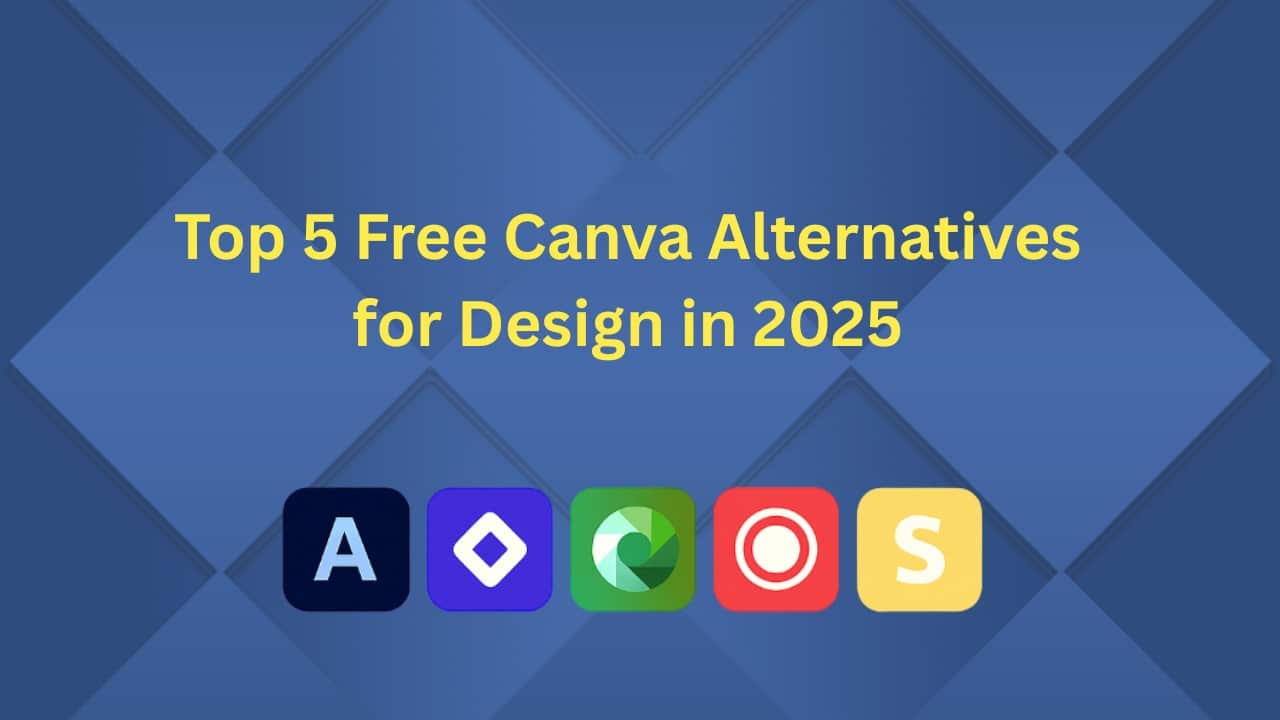
The good news is—there are many free graphic design tools like Canva, which come with No Cost and No Limits! In this article, we will know about the 5 best free Canva alternatives for 2025, which will allow you to create amazing designs for absolutely free.
Looking for free Canva alternatives that cost nothing? Discover the top 5 free design tools like Canva in 2025—perfect for stunning, professional graphics!
Why do you need a Canva alternative?
1. Canva limitations:
- Premium templates and materials are locked
- Brand kits cost money
- Some features are only accessible with a Pro subscription
2. Free tools are in high demand:
- Startups, students, and those interested in learning design
- A low-cost way to create content
- No credit card, no monthly bill
Top 5 Free Alternatives to Canva (2025):
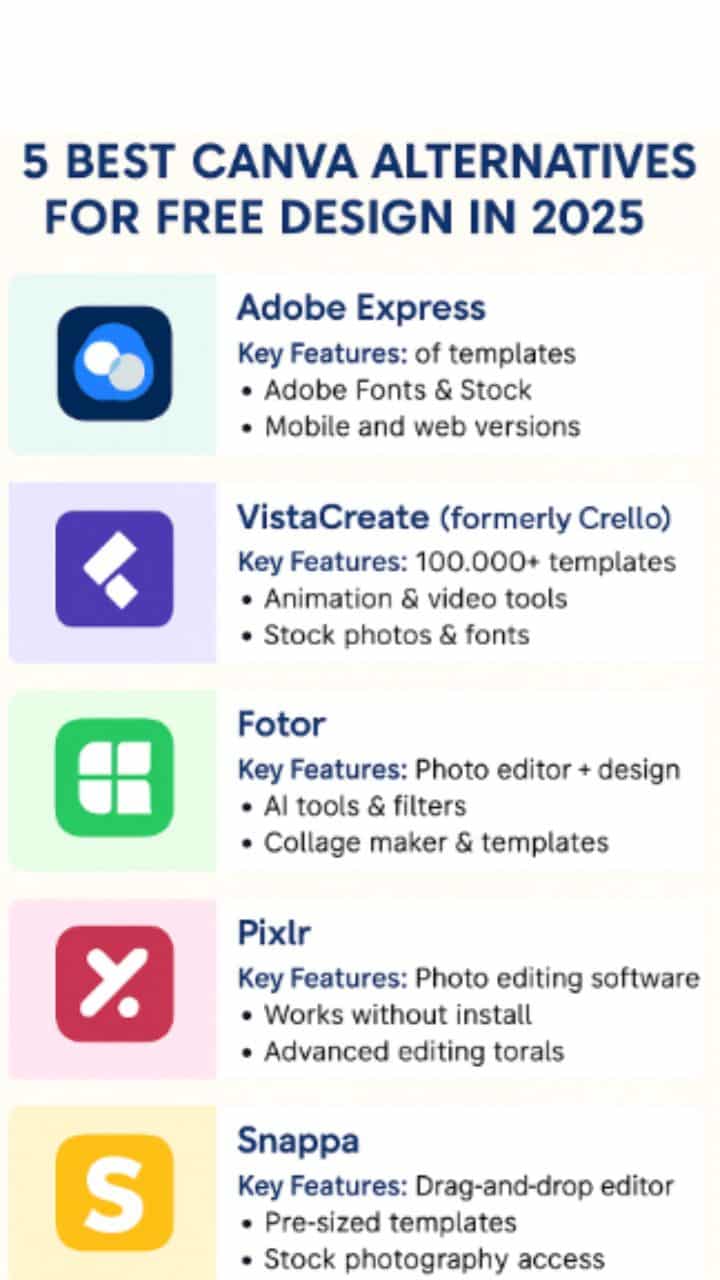
1. 🟦 Adobe Express (formerly Adobe Spark)
Adobe Express (formerly Adobe Spark) is one of the most reliable and powerful free Canva alternatives available in 2025. Developed by the same company behind Photoshop and Illustrator, Adobe Express brings professional-grade tools into a beginner-friendly package.
🔑 Key Features:
-
Thousands of free templates for social media, posters, flyers, and more
-
Quick background remover, image resizer, and video editor
-
Mobile and web versions for on-the-go designing
🎯 Why It’s Great:
If you want high-quality designs without the complexity of Photoshop, Adobe Express is perfect. It offers a clean, drag-and-drop interface along with features like animations, brand kits, and auto-resizing for different social platforms.
⚠️ Limitations:
-
Some templates and stock images are locked behind the premium plan
-
Not as collaborative as Canva for team projects
✅ Best For:
Students, content creators, small businesses, and social media marketers who want fast and professional results with zero cost.
🔗 Website: https://express.adobe.com
2. 🟪 VistaCreate (formerly Crello)
VistaCreate—previously known as Crello—is one of the most feature-rich free design tools and a top Canva alternative in 2025. It’s owned by VistaPrint, the global print and marketing company, which makes it especially useful for creating both digital and printable content.
🔑 Key Features:
-
Over 100,000+ templates for social media, blogs, business cards, flyers, and more
-
Built-in animation and video tools for motion graphics
-
Access to free stock photos, icons, and fonts
-
Brand kit management, background remover (limited in free plan)
-
Works on desktop and mobile
🎯 Why It’s Great:
VistaCreate offers an intuitive interface that feels very similar to Canva, making it easy for beginners to get started. The platform excels in animated content creation, allowing users to create eye-catching social media posts and video ads for free.
⚠️ Limitations:
-
Requires signup to download designs
-
Some features (like brand kit and team collaboration) are limited to the Pro version
✅ Best For:
Freelancers, digital marketers, and social media managers who want eye-catching animated and static visuals—without needing a paid plan.
🔗 Website: https://create.vista.com
3. 🟩 Fotor
Fotor is a powerful updating the best free Canva alternative, especially known for its photo editing capabilities combined with graphic design features for all types user. It’s perfect for those users who need a blend of image enhancement and template-based design as their expected design—all in one place.
🔑 Key Features:
- Advanced photo editing tools (brightness, contrast, filters, retouch)
- AI-powered tools like background remover, photo enhancer, and object remover
- Ready-to-use templates for posters, social media, resumes, and business cards
- Collage maker and design studio in a clean, drag-and-drop layout
- Available on web, Windows, Mac, Android, and iOS
🎯 Why It’s Great:
Fotor stands out for users who want better photo editing than Canva offers, while still having access to hundreds of modern design templates. Its AI tools save time, especially for beginners or non-designers looking for quick fixes.
⚠️ Limitations:
- Ads are present in the free version
- Some premium templates and features require a paid upgrade
✅ Best For:
Photographers, bloggers, students, and small business owners who want to enhance images and design creative visuals without switching between multiple apps.
🔗 Website: https://www.fotor.com
4. 🟥 Pixlr: A Free, Browser-Based Photo Editor for Designers
Pixlr is a top-tier free Canva alternative in 2025, especially if you’re looking for advanced photo editing right from your browser—no downloads or installations required. It’s often described as a “lightweight Photoshop” because of its layer-based editing and professional-grade tools.
🔑 Key Features:
- Two modes: Pixlr X (easy editing) and Pixlr E (advanced editing)
- Layer support, blend modes, filters, and AI cutout tools
- Background remover, text effects, and collage tools
- Supports JPG, PNG, WebP, PSD, and other file formats
- Works on all browsers, plus mobile apps available
🎯 Why It’s Great:
Pixlr is perfect for users who want Photoshop-like features for free, without the complexity. Whether you’re touching up a photo, creating marketing banners, or designing YouTube thumbnails, Pixlr offers powerful tools with an easy learning curve.
⚠️ Limitations:
- Ad-supported interface in the free version
- Not as beginner-friendly as other drag-and-drop tools like Canva or Adobe Express
✅ Best For:
Intermediate to advanced users, photographers, and graphic designers looking for a free photo editing and design solution with no installation required.
🔗 Website: https://pixlr.com
5. 🟨 Snappa: The Simplest Graphic Design Tool for Content Creators
Snappa is a lightweight yet powerful free Canva alternative, designed especially for bloggers, digital marketers, and social media managers. With its clean interface and quick workflow, Snappa makes it easy to create professional-looking graphics—even if you have no design experience.
🔑 Key Features:
- Thousands of ready-to-use templates for blogs, ads, social media, headers, and more
- Access to high-resolution stock photos directly inside the platform
- Drag-and-drop editor with text effects, shapes, icons, and overlays
- Resize designs instantly for different platforms (with paid plan)
- No software download needed—fully browser-based
🎯 Why It’s Great:
Snappa focuses on speed and simplicity. Unlike some complex tools, it lets you create and download designs within minutes. Its collection of blog graphics and ad-sized templates is especially valuable for content creators and affiliate marketers.
⚠️ Limitations:
- Free plan includes only 3 downloads per month
- Lacks advanced features like animation or team collaboration
- No mobile app available
✅ Best For:
Bloggers, small business owners, and marketers who need quick, beautiful graphics without a learning curve.
🔗 Website: https://snappa.com
Comparison Chart: Features of free Canva Alternatives:
| Tool | Best Use | Limitations | Mobile Support | Website |
|---|---|---|---|---|
| Adobe Express | Social media posts | Some premium features | ✅ | express.adobe.com |
| VistaCreate | Animated designs | Signup required | ✅ | create.vista.com |
| Fotor | Photo-based designs | Advertisements | ✅ | fotor.com |
| Pixlr | Photo editing | Complex interface | ✅ | pixlr.com |
| Snappa | Blog & social graphics | Limited monthly downloads | ❌ | snappa.com |
Conclusion:
In today’s content-driven world, having access to quality design tools is essential. While Canva remains one of the most popular choices, it’s not the only one—nor always the best for everyone, especially when working with a limited budget. Fortunately, several powerful free Canva alternatives now offer competitive features without costing a penny.
From the animation-friendly VistaCreate to the AI-powered Fotor, and the Photoshop-style Pixlr to the quick-and-easy Adobe Express and Snappa, you have a range of tools at your fingertips. Each of these platforms brings something unique to the table, whether it’s pre-made templates, drag-and-drop simplicity, or advanced photo editing capabilities.
The best part? Most of them require no credit card, no subscription, and no design background. These tools are perfect for students, freelancers, bloggers, marketers, and small business owners looking to create high-quality visuals for social media, blogs, or branding—completely free.
So, if you’ve been relying only on Canva and felt limited by its premium restrictions, it’s time to explore your options. Try a few of these tools, experiment, and find the one that fits your creative workflow.
Create more. Spend nothing. That’s smart design in 2025!
FAQ:
What are the best free alternatives to Canva for your best business?
Adobe Express and VistaCreate are two of the best free alternatives to Canva in 2025, offering rich templates, drag-and-drop tools, and design flexibility without any cost.
Are there any completely free design tools like Canva?
Yes! Tools like Pixlr, Fotor, and Snappa offer powerful free versions with no upfront payment required. However, some advanced features of these Free Canva alternatives may require an upgrade.
Which Canva alternative is best for photo editing?
Pixlr and Fotor are the best for photo editing, offering advanced tools like filters, background removal, and AI enhancements—features not deeply available in Canva.
Can I use these free tools for commercial designs?
Most free Canva alternatives allow commercial use, but it's important to check their license terms for stock images, templates, and fonts before publishing.
Which Canva alternative works best for social media content?
Adobe Express and Snappa are best suited for social media graphics. They offer pre-sized templates for Instagram, Facebook, Twitter, and more.
Do these tools have mobile apps like Canva?
Yes. Tools like Adobe Express, Fotor, and VistaCreate have mobile apps. However, Snappa does not offer a mobile app as of 2025.
Which tool offers the best templates for animation?
VistaCreate is the best Canva alternative for animated designs. It offers video templates, motion graphics, and animated posts for free.
Are these tools safe and trustworthy?
Yes, all the mentioned tools are created by reputable companies and are secure to use. Just make sure you're accessing them through their official websites.
Do I need design experience to use these tools?
No. Tools like Snappa, Adobe Express, and VistaCreate are beginner-friendly, with drag-and-drop editors and ready-made templates for easy creation.
Are these Canva alternatives worth using long-term?
Absolutely! If you're looking for cost-effective and feature-rich design platforms for regular use, these tools are reliable for the long term without requiring a paid plan.
🔔 Stay Updated with Tech Terapias
Join our free newsletter and never miss AI tools, blogging tips & smart tech updates!